Skip to content
View in the app

A better way to browse. Learn more.

The UK Kit Car Club

A full-screen app on your home screen with push notifications, badges and more.

To install this app on iOS and iPadOS
  1. Tap the Share icon in Safari
  2. Scroll the menu and tap Add to Home Screen.
  3. Tap Add in the top-right corner.
To install this app on Android
  1. Tap the 3-dot menu (⋮) in the top-right corner of the browser.
  2. Tap Add to Home screen or Install app.
  3. Confirm by tapping Install.

Oadby motorfest 14/8/22

Featured Replies

Oadby is holding a motorfest tomorrow from 10am if anyone is interested I’ll be taking my car… that’s right it’s on the road and working 

What, Oadby?

Typical, now Ive left Leicester.

Glad your motors moving bruh


Andi

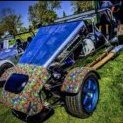
I was there with Sporting Bears. Is one of these your car? Obviously the red vehicle is mine.

IMG_20220814_113632251.jpg

IMG_20220814_113654076.jpg

IMG_20220814_092222623.jpg

  • Author

Yeah top one is mine tried to find you when I was there but didn’t know who I was looking for 😂

Join the conversation

You can post now and register later. If you have an account, sign in now to post with your account.

Guest
Reply to this topic...

Recently Browsing 0

  • No registered users viewing this page.

Account

Navigation

Search

Search

Configure browser push notifications

Chrome (Android)
  1. Tap the lock icon next to the address bar.
  2. Tap Permissions → Notifications.
  3. Adjust your preference.
Chrome (Desktop)
  1. Click the padlock icon in the address bar.
  2. Select Site settings.
  3. Find Notifications and adjust your preference.