Search the Community
Showing results for tags 'iva'.
Found 14 results
-
Well it failed! Full story is in the blog, but the majority of stuff was very minor, a loose screw here, a missing grommet there. Most important was that he spotted a very small leak in the master cylinder - I will replace that very shortly. There was also an issue with the (MotaLita type) steering wheel which has too many holes and too much wood. Otherwise, side repeaters apparently necessary, and the rear foglamp/reversing light combo needing a shim to make it present the light horizontally on a sloping surface. What was obvious was that a neatly presented car immediately gets the examiner on your side. I suspect he erred on the generous when assessing seat heights, headrests, two speed wiper speeds, headlamps and quite a lot else. He was very happy to chat and was pleased to see that I obviously had worked through the IVA manual. So - another month to fix the items, a retest and I should be away. Thank to you all for your comments and support - it has been incredibly helpful and generous. Cheers Keith www.cageyenne.co.uk/wp
-
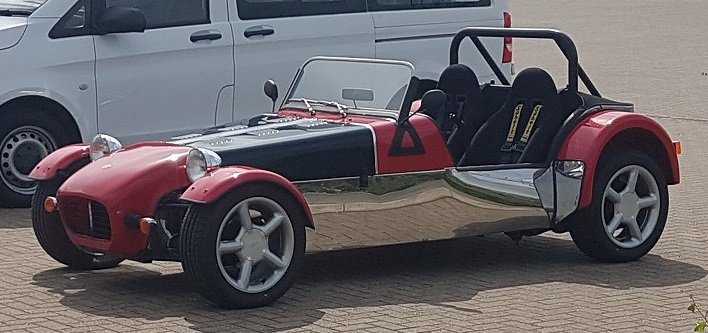
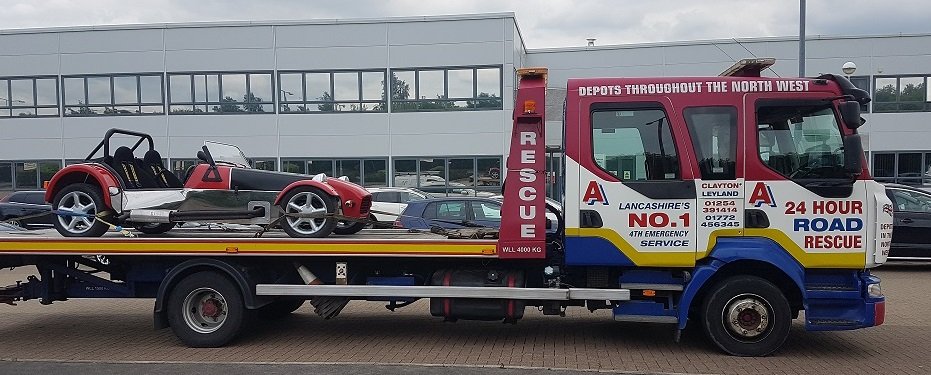
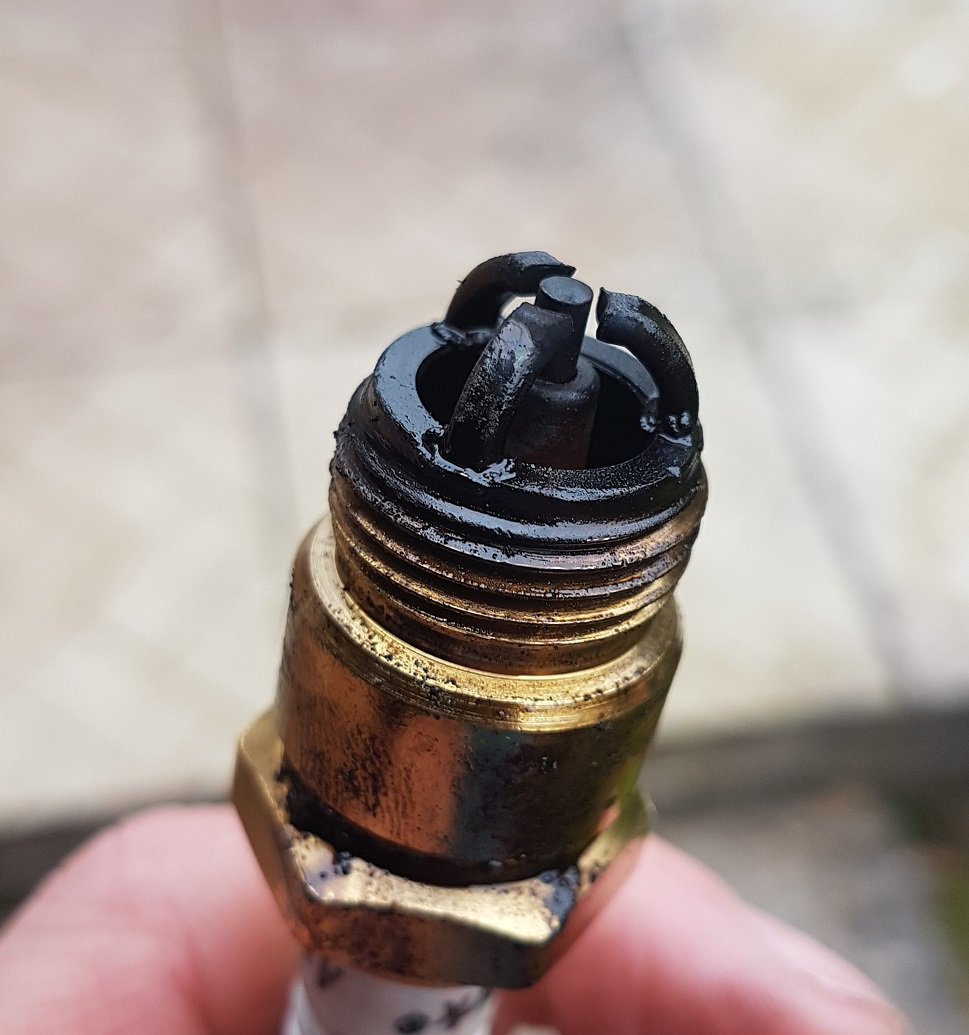
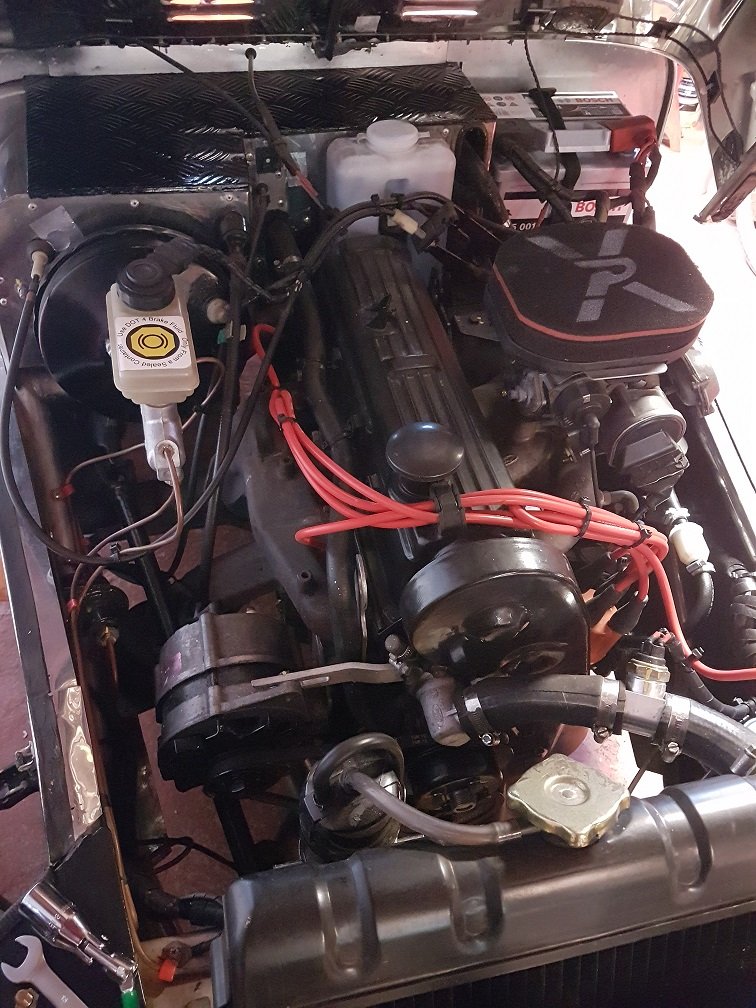
Hello, I thought I would let everyone know how I have got on with putting my Robin Hood through the IVA and to ask a few questions... My Robin Hood 2B was given to me by my kind friend part finished, I believe it was originally bought in 2002. It is based around a 1989 Sierra with a 2.0l Pinto with a 30/34 DFTH Weber carb. I have stripped it down and finished it over the last eighteen months and I am quite pleased with the result (or at least I was). Attempt one happened at the beginning of May and didn't go well at all. Prior to the test I had a garage down the road check it out and everything seemed ok apart from a bouncing fuel gauge. I didn't get the car back in time to sort the fuel gauge, so I just had to go for it. On the day of the test I filled it up at the petrol station in preparation for the fifty-mile journey from Blackpool to Chatterton. Fuel ended up leaking everywhere from the fuel sender and the car started running rough. Before I got too far from home, I just took it round the block where I broke down a few times as well as got pulled over by the police. I had all the relevant paper work so being pulled over wasn't an issue and I managed to limp the car home. Unfortunately, I couldn't make it to the test so £450 down the drain. Before my next attempt I serviced the carb, replaced the fuel lines, filter and fuel sender, fitted new spark plugs, leads and coil (from Accuspark) as well as checking the ignition timing and mixture. The timing was out, and I set it to about six degrees with the vacuum lines blocked as per the manual. There was also a leak on the line from the manifold to the servo which I fixed. Yesterday I set off nice and early for attempt two. Everything went well for the first twenty-five miles until I could feel the car needing more and more power to maintain speed. I pulled over and found that the brakes had come on and while I at the side of the road they came on completely. After looking around it I suspected that the servo was at fault either too hot, getting to much vacuum or faulty. I managed to get to the test centre (with frequent stops to keep checking) and on the way there the car started to run quite rough. It struggled to pull away and didn't like running at slow speed although it idles fine. Despite being late they completed the test and found the following... Metered Emissions - the HC reading was 4260 when the max is 1200. The car struggled to run at the required 2,000 rpm it just kept hunting between 1,000 and 3,000. The reading from the garage prior to attempt one was fine, well below the limit. I suspect I have messed up the mixture after the carb rebuild. Brake pipe or hose must not be exposed to excessive heat. The car has the original sierra manifold and the exhaust has a heat wrap around it. The servo is close to the engine and heat shield I made is obviously not up to the job (see picture, although the heat shield has been removed). I am thinking about removing the servo all together as described in other posts and then make a bigger heat shield. Brake warning light - The light on the dash functions with both the handbrake and the low brake fluid level switch. However, the low fluid switch doesn't seem to work. Am I correct in thinking that if I fix the low brake fluid switch and can prove it works by unscrewing the top that will pass? I can test the light from the driver’s seat using the handbrake or do I need a separate switch? A couple of sharp edges right under the dash that I missed. I have already put edging on them. The hand brake isn't working on the near side wheel. I will have to investigate. Brake lights are on all the time. I knocked the brake switch off while checking my brakes when stuck at the side of the road and have now fixed. Side repeaters are mounted on the body of the car and do not give the five degrees of visibility from the rear. I need to move them to the cycle wings. Headlight aim was out, I must have knocked them as they had been aligned by the garage. Fog lights come on with the side lights. I going to change the switch feed using diodes as described by other posts. Pinch nut on the from suspension was loose. The pinch bolt was tight, and I had put a safety bolt through to dummy strut but completely missed this. Stupid boy! Maybe unsurprisingly because of the brake issue they wouldn't let me drive it home and I had to shell out to be recovered to Blackpool . Yesterday was a very frustrating day to say the least! I have already fixed some of the issues and apart from the engine and the brakes my car is fine, ha! When I got home, I checked the spark plugs and they are black, so I guess it is running rich? I have a colourtune kit but I was struggling to use it, I will have to have another go. My dilemma now is how best to take it for the retest, do I risk driving it again? And, how am I best getting the engine tested/tuned without having the ability to drive it? Maybe I need to find someone with a trailer for the retest and a rolling road session? Graeme

-
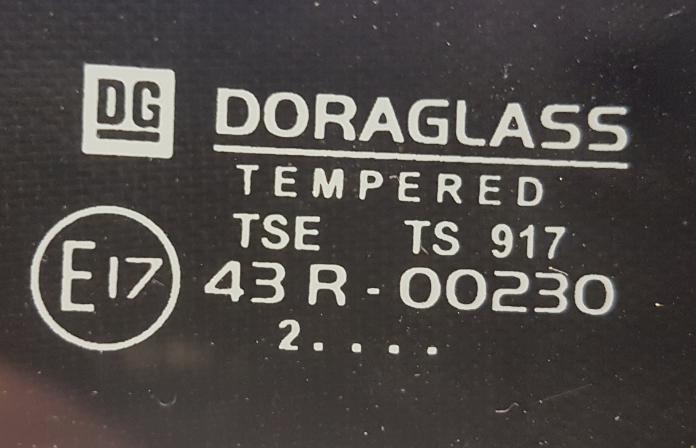
Hello I am coming to the end of the build of my Robin Hood 2B and I am just in the process of fitting the windscreen. I have read numerous threads and the IVA manual and just want to confirm a couple of things. These are the markings on my windscreen... Am I correct in thinking that this won't get through the IVA because of the missing Roman numerals above the E? If I remove the windscreen, wipers, heater and washers and get it through the IVA would it be a bad idea to fit it anyway because it would be too dangerous? Thanks Graeme
-
Hi all, I'm in a position where I would like to get offical proof of the year of manufacture of my mazda engine. I understand that for emissions test during IVA if you can demonstrate the true age of the engine the test parameters can be adjusted accordingly. Please correct me if this is not true. Unfortunately I naively bought my engine a few years ago without any documents from the original vehicle just assuming I would be issued Q plates and I didn't even consider the different test parameters. I recently contacted the homologations department at mazda to see if they were able to provide a formal confirmation from the engine number, but I was told that they can only do this using the VIN number. So now I'm at a deadend. Has anyone been able to overcome a similar issue? If so how. Or, does anyone know how I go about finding the original VIN from the engine number so I can then go back to mazda? The only info I have is the engine number. Thank you
-
Hi guys I'm on the rolling road tomorrow and can't wait... I was always going to make the car track only but I'm wondering now if it's worth putting on the road for a better re-sale in the future or would I not be worth the potential gain in the future ? I already have a Sunday car so I'm not to bothered about driving it on the road.
-
Hi im about to fit front indicators , ive heard people saying that theirs were to short for iva test , is there a specific measurment.from the outside of wheel. Cheers Dave
-
Im looking into buying a Robin Hood but i am slightly worried about the IVA test as this car hasn't got one. After asking about why he never got an IVA on the car he wondered why i was looking into an IVA because if i could get a Sierra v5 Logbook i could get a non Q plate and it will still be road legal and i can get the MOT etc etc. I never heard of this before and as i am new to this im not sure at what to look for to find out Any advise would be appriciated Thanks Jack
-
So it seems most of the dreaded Fog Lamp threads are rather old now, 2009 or before, and as such don't capture the latest IVA changes that were made. Namely :- (From M1 Manual v9.00) Section 28 There is some vagueness introduced by the wording in RS4 and the use of "or", which can be used to imply that the fog light(s) only have to work when one of the options (dipped, main or front fog lamps) is powered on, however I believe some testers are demanding the fog lamp work in all states and it's probably a case of being overly pedantic about the wording. Either way, it is not difficult to use a pair of diodes off the dipped and main beam feeds to ensure the rear fog works in both states. My main challenge is around Note 4. Either a buzzer sounding when you turn the ignition off with the switch still activated, or you make the fog light output latched so that it automatically turns off when the sidelights are turned off, and doesn't turn back on. This is easily achieved with a latching relay *but* the relay requires a momentary button rather than a switch, which is hard to find that matches with my other switchgear. So it seems my options are to :- - Change all my switchgear to match and find a momentary fog light button that ticks the boxes (I'm a stickler for it all looking co-ordinated!) then use a latched relay fed from the sidelight circuit. - Make a buzzer. Option 2 is sounding the way forward at the moment. Or am I missing a trick? edit: Oh, and I know about the CBS module but I'll be buggered if I'm paying £36+P&P for a solution!
-
At long last, with the exception of a brake test, emissions and sound test I believe I have finally finished building. Please review, criticise and provide feedback on any points that need to be resolved before I apply for IVA test. Also do you think it is worthwhile going for a pre-MOT test before IVA?
-
Finally managed to get a bit of time with the car... can't believe I've had it this long already. Anyway it also has it's own bank account so time to make some real progress before I have to leave again! So firstly the car... a Robin Hood Exmo... purchased while on placement in Bedford back in Nov 2012, currently located in Cornwall. I have until July before I move away so need to get it as close to IVA ready as possible to enable a weekendish trip back etc. Main things to do: Fit Seats and Harnesses Wiring (I struggle with it) IVA trim + EXMO IVA changes/modifications Question time (there will probably be a fair few): Air filter - Currently running a pinto with the pierburg 2E carb, the new air filter is the lowest I could find and just contacts the bonnet presume theres no issue with IVA? Also the 3 bolts to hold it on any ideas on size etc, no even sure they are meant to be bolted as there not threaded... Digital Dash - I bought a KOSO RX2N currently without the sensors etc, just got the main unit. Any thoughts on fitting it compared to the standard Sierra clocks for the IVA, bearing in mind that currently there is no speedo cable fitted to the gearbox and I really don't want to / don't have time to take everything out to get at it (access hatch is not ideal either due to the monocoque structure) Suspension mounts - For the rear semi-trailing arms where they mount to the body they enter the drivers and passenger compartment, any pics or ideas on the best way to 'seal' them off. (Presume thats needed for IVA, plus I don't like the idea of getting soaking wet carpet etc) Bonnet - From what I've read it seems like they either fit perfectly or take alot of 'fettling' and never really get there. I've got the classic bump/ gap at the top (meeting the scuttle) and a fairly good fit to the nosecone. The problem is the sides as it currently tends to 'push' out further than the body, you can push it inline. Any ideas or anything simple I've missed? Under dash radius - What have people used to meet the IVA requirements....? Final question (for now) - As it use to have the swept wings there are a series of holes down the body which obviously aren't any good for IVA. Best thing to fill them/ cover - I was wondering if I can get away with 'Racing stripes' or similar purely for the IVA and then get rid... thoughts? Thanks for any help! Suzanne Few pics: Air filter base plate Suspension mounts (apology for the poor quality photo) Interior
-
Hi, I am hoping to be going through IVA in the next few months with my 2B Sub K and applying for an age related plate (G Reg'). What are the options on the VIN Number? Should I be creating a brand new VIN number where I guess a new G Reg plate will be allocated or can I re-use the donor VIN number and keep the existing Reg from the old Sierra? Thanks for any advice on this one Best regards Paul
-
Hi there I am new to the site, I have just bought a robin hood s7 which i'm told is pretty much ready for an IVA test. I am looking for someone who lives in east sussex that could give me some advice or look at the car to tell me if it is ready or needs more work doing to it. many thanks.
-
Is it true that although I have no stereo in my car that I must fit a suppressor to the car and if so how does the IVA man check for it??? Hammy