Skip to content
View in the app

A better way to browse. Learn more.

The UK Kit Car Club

A full-screen app on your home screen with push notifications, badges and more.

To install this app on iOS and iPadOS
  1. Tap the Share icon in Safari
  2. Scroll the menu and tap Add to Home Screen.
  3. Tap Add in the top-right corner.
To install this app on Android
  1. Tap the 3-dot menu (⋮) in the top-right corner of the browser.
  2. Tap Add to Home screen or Install app.
  3. Confirm by tapping Install.

Having A Sierra V5 Means No Need For Iva?

Featured Replies

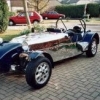
Snappers is a genuine early car, not a lightweight.

  • Replies 47
  • Views 12k
  • Created
  • Last Reply

Top Posters In This Topic

Most Popular Posts

  • sj-bradley
    sj-bradley

    No.   If it doesn't say "Robin Hood" on the V5 - walk away.   If it still says Sierra or something else, it is not legal.   Or is this a part built - unfinished car? If so, then it NEEDS to go t

  • sj-bradley
    sj-bradley

    If it's got a number plate holder on the rear and he declared it a "track day" car.   This car "looks" like it was built for the road and not the track.   Looks downright suspicious this one.  

  • When applying for IVA you fill in this form https://www.gov.uk/government/publications/amateur-built-vehicles-declaration-iva-4   So you would tick option 4 which says:   The vehicle was partially

  • 2 weeks later...

I bought a good 2b for £2000 last September.

If you are looking for a good car at a cheap price, hold your patience till just after the season. You will be amazed how much the price of most completed and legal cars drops.

Join the conversation

You can post now and register later. If you have an account, sign in now to post with your account.

Guest
Reply to this topic...

Recently Browsing 0

  • No registered users viewing this page.

Account

Navigation

Search

Search

Configure browser push notifications

Chrome (Android)
  1. Tap the lock icon next to the address bar.
  2. Tap Permissions → Notifications.
  3. Adjust your preference.
Chrome (Desktop)
  1. Click the padlock icon in the address bar.
  2. Select Site settings.
  3. Find Notifications and adjust your preference.